


Training Inventory Export via API
With the Dynamic Training Inventory Entries report, you can retrieve and analyze training inventory data via REST API. You can find out how to proceed here. For creating a new request, you can use free API development tools such as Postman.
1
Create a report favorite for the Dynamic Training Inventory Data report with your API author. Limit the time period in the filter options, as too large a data volume can lead to processing problems. Set the start and end dates sufficiently far in the past or future, as automatic adjustment by the interface does not occur.
2
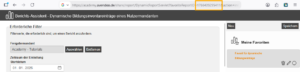
The ID of the report favorite is required for automated retrieval of training inventory data via API. You can find this in the URL after calling up the report favorite. Copy the ID.
3
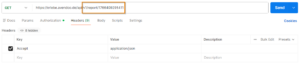
Configure the request in an API development tool. The screenshot shows the Postman tool as an example.
Select the GET method and add the version and endpoint after the URL for your learning world:
/v1/report/favouriteReportId
4
Specify in the Accept header in which format the server response should be returned, e.g. JSON. This format is particularly suitable for testing, as it is widely used and well structured, making it easy to analyze and process further.
5
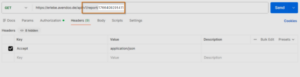
Now insert the ID of the report favorite in place of the favoriteReportId. Then save your configuration and click the Send button.
6
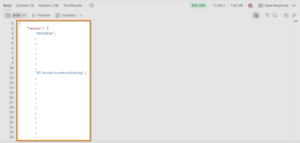
You will then receive the training inventory data of the employees as a result, according to the filtering set in the report favorite.
This allows you to verify that the API is correctly configured and that you receive all the information you need before you put the API into live operation in cooperation with your IT department.
Prereqisites
- We recommend creating an API author account that is used only for the interface and not for other purposes.
- You should assign a permission group to this API author account that allows the API author to access the corresponding report as well as the corresponding clients.
- To ensure that you can correctly assign the training inventory entries from Avendoo in your customer-specific system, you must ensure that there is a unique identifier on both sides, e.g. user name, personnel number, external reference.