


Register employees
As a team leader, you can register your employees for a learning unit directly via the Cockpit. In this step-by-step guide, we will show you how to proceed.
1
Navigate to Cockpit → Employees and search for the employee you want to register for a learning unit.
2
Click the employee’s name. The Employee view opens.
3
In the Employee view, search for the desired learning unit. Click the three dots on the relevant learning tile and select the Register option.
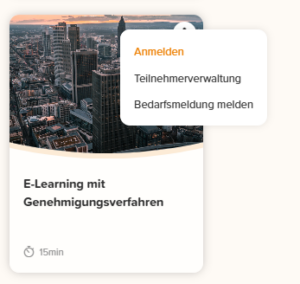
The employee is registered for the selected learning unit.
Prerequisites:
- User is team leader with the Manage course participants permission
Was this article helpful?
Thank you for your feedback!