


Replace Own Certification File
Users can replace a certification file themselves if, for example, personal data needs to be updated, such as after a name change. You can also replace an existing certification file with an original certificate from an external provider. This guide explains step by step how to proceed.
1
In the user area, go to Achievements → Certifications and open the desired certification using the arrow icon.
2
In the Overwrite file section, click Upload file and select the PDF file from your computer.
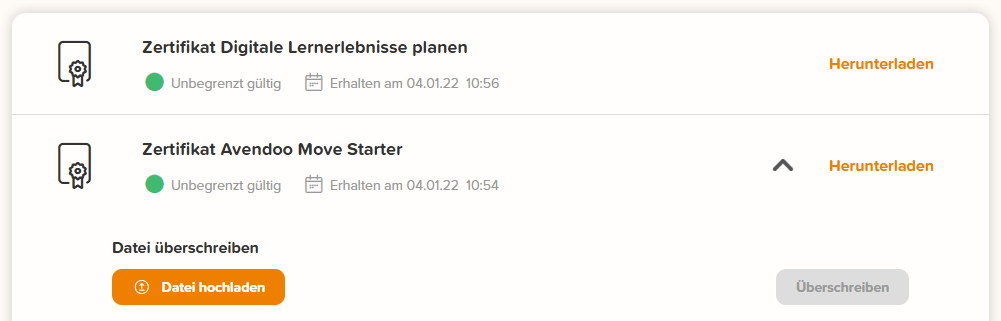
3
Click Overwrite to confirm the process.
After a successful upload, you will receive a corresponding system message.
Prerequisites
- User account with the permission Replace own certification file
- Certificate with the Manually recordable option enabled
Was this article helpful?
Thank you for your feedback!