


Login as user
If you want to view the learning platform from a user’s perspective to provide support with a technical issue, you can “Login as user”.
1
Navigate to User management.
2
Right-click on the user you want to log in as and select Login as user. A dialog window will open.
3
Enter your name, the reason for your login, and confirm that you have the user’s consent for this login.
4
Click Login as user.
5
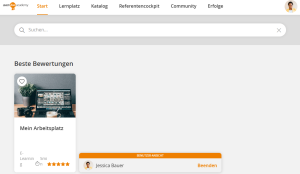
You can navigate the platform in the user view.
6
To exit the user view, click Exit.
Prerequisite
Author account with the permission: Administration: Log in as user
Was this article helpful?
Thank you for your feedback!