


Working With Lists of Interested Parties in the Event Manager
Lists of interested parties allow you to plan events before an event date is published. Participants can register for a provisional date, meaning a list of interested parties, or be added by an author. Learn how to work with registrations on a list of interested parties in this guide:
1
Go to Event management → Overview of event date or Overview by event date group and click the Event title to open the Event Manager for a date.
2
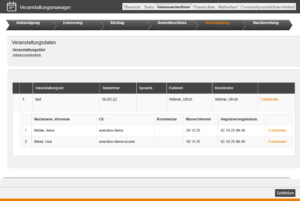
Go to the Lists of interested parties tab. Here you will see all lists of interested parties created for the event. As soon as participants register for a list of interested parties, they are listed here below the corresponding date. Users can enter a desired date and a comment during registration. These details are also visible here.
3
You can click Functions per user or per list of interested parties to perform further actions. The following options are available to you for this.
Add Participant
Cancel Registration
Move Several Participants (Alternative Date)
Follow-up
Add comment
Prerequisites
Author account with Access to an activation client and the following author permissions:
- Access to the event manager
- All or Own event dates: Show event dates
- All or Own event dates: Do deregistrations and registrations
- User: Select