


Participant management for Training plans
The participant management for training plans enables simple and targeted management of users for training plans. This includes functions such as manually registering and canceling registration of users, as well as adding participant rules for automatic control of access to the training plan. You can access participant management by clicking on the participant management symbol in the list view of the training plans .
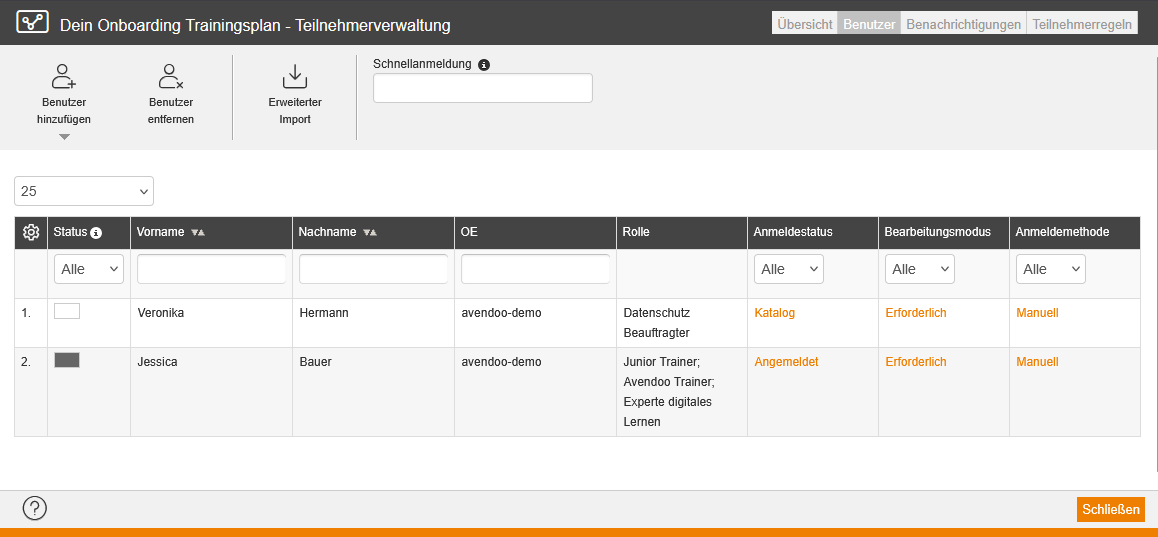
In the list view of participant management for training plans, you can see the registered users on the Users tab. You can see which users were registered manually or via participant rule and what registration status (e.g., Catalog, Registered) they have. Here you can manually register or cancel registration of users. Additionally, you can send a message to the participants on the Notifications tab. On the Rules on participants tab, you create the participant rules for the training plan. To do this, refer to one of the instructions below.
Manual registrations and participant rules for training plans compared
If you delete a participant rule, all users who were registered via the participant rule will be removed. The users, that were manually added stay registered. Manual registrations are weighted higher in terms of priority than participant rules. For example, newly created participant rules or adjustments to participant rules have no effect on existing users who were registered manually. Currently, this only applies when deleting the participant rule.
Relationship between participant rules of a training plan and the course activations contained therein
By registering for the training plan, users also gain access to all course activations included in this particular training plan. Therefore, you do not need individual participant rules for each course activation. If a user is registered in parallel for a course activation that is also included in the training plan, the learning progress is mirrored in the training plan. Course activations can thus already be completed even if you have not yet worked on the relevant course activation in the training plan.
Training plans and approval procedures in course activations and events
If the training plan contains a course activation with an approval procedure for the course activation, the user can open the course activation without triggering the approval procedure. The registration via training plan is weighted higher in terms of priority than the approval procedure.
If the training plan contains a course activation with an event for which an approval procedure has been activated, the user can open the course activation. However, the approval procedure remains active for the event, meaning the process must be completed here.
Requirement
Author account with the permission Training plans: Manage participants.