


Install and configure the AI Package
This menu point describes the installation and configuration of the AI Package in Avendoo. You activate the add-on, set up the desired AI functions, and assign the required Permissions so that you can use the AI features efficiently.
1
Using your author account, go to Administration → Add-ons and click Create. The add-on wizard opens.
2
In the list, select the AI Package, activate the Add-on, and click Save.
If the AI Package add-on is not available for selection at this point, it has not yet been enabled for your Avendoo Learning World. Please contact your Avendoo Contact partner.
The installation is now complete, so you can continue with the Configuration of the add-on in the next step.
3
In the Add-ons List view, first show the Configuration column. To do so, click Configure column view, select the checkmark for “Configure”, and click Save.
4
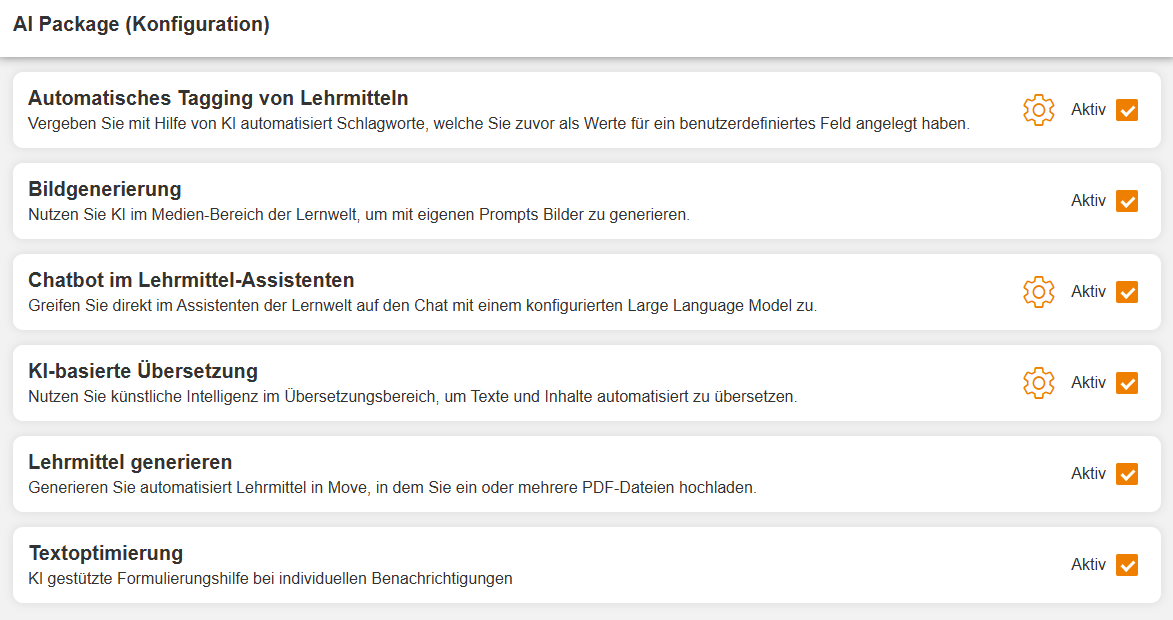
Now, in the row for the AI Package add-on, click Configure. The Configuration opens in a new window. Activate the AI Functions that you generally want to use for your Avendoo Learning World.
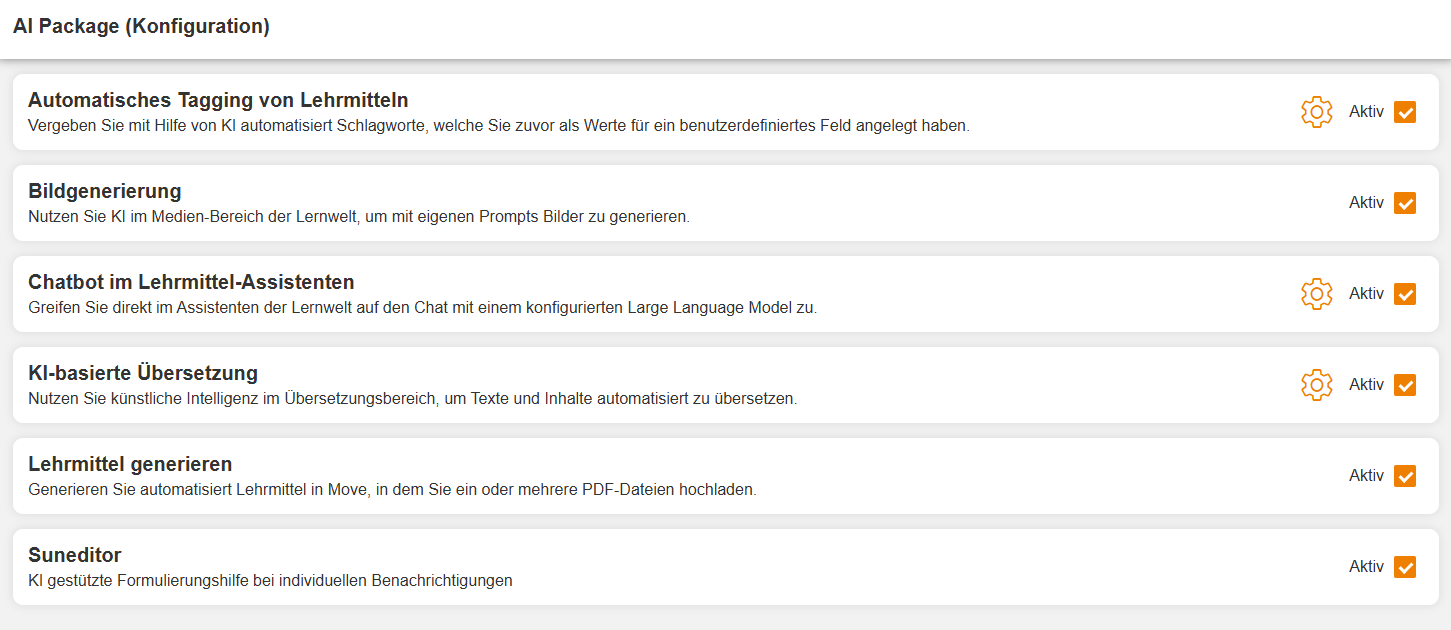
Additional advanced Settings are also available for the AI Functions Automatic Tagging, Chatbot, and AI-based translation.
Assign Permissions
The AI Functions are now generally active in the System. You can use the add-on-specific Permissions to control who is allowed to use which AI Functions. You can assign these to Users individually or via Permission groups. The following Permissions are made available by the AI Package:

| Permission | Description |
|---|---|
| Image generation | Creation of AI images under Learning content → Media |
| Generate teaching material | Generation of Instructional material under Learning content → Instructional material |
| AI management | Display of the AI token widget in the Dashboard as well as token consumption under Administration → Avendoo Token |
| Tag management | Use of new collection functions under Learning content → Instructional material |
| Use DeepL | Access to the page Administration → DeepL Logging Posts |
| Chatbot | Use of the AI chatbot in the Instructional material wizard |
| Translate | Automatic translation in Avendoo’s Translation mask |
| Suneditor | AI-assisted wording suggestions in the Text editor |
Prereqisites
- Author account with the permission Add-ons: Change, create
- The Avendoo AI Package