


Create Certificate Template
A Certificate template forms the basis for the creation of certificates in Avendoo. It consists of a PDF file with form fields that serve as placeholders for personalized information. When a certificate is created, these fields are automatically filled with data such as the participant’s name, course information, or the date completed.
In this guide, you will learn how to create a Certificate template using LibreOffice Writer. You can also use other tools, such as Adobe Acrobat, to create a PDF form from an existing PDF file. The only decisive factor is that the Certificate template is available as a PDF form and contains the required form fields.
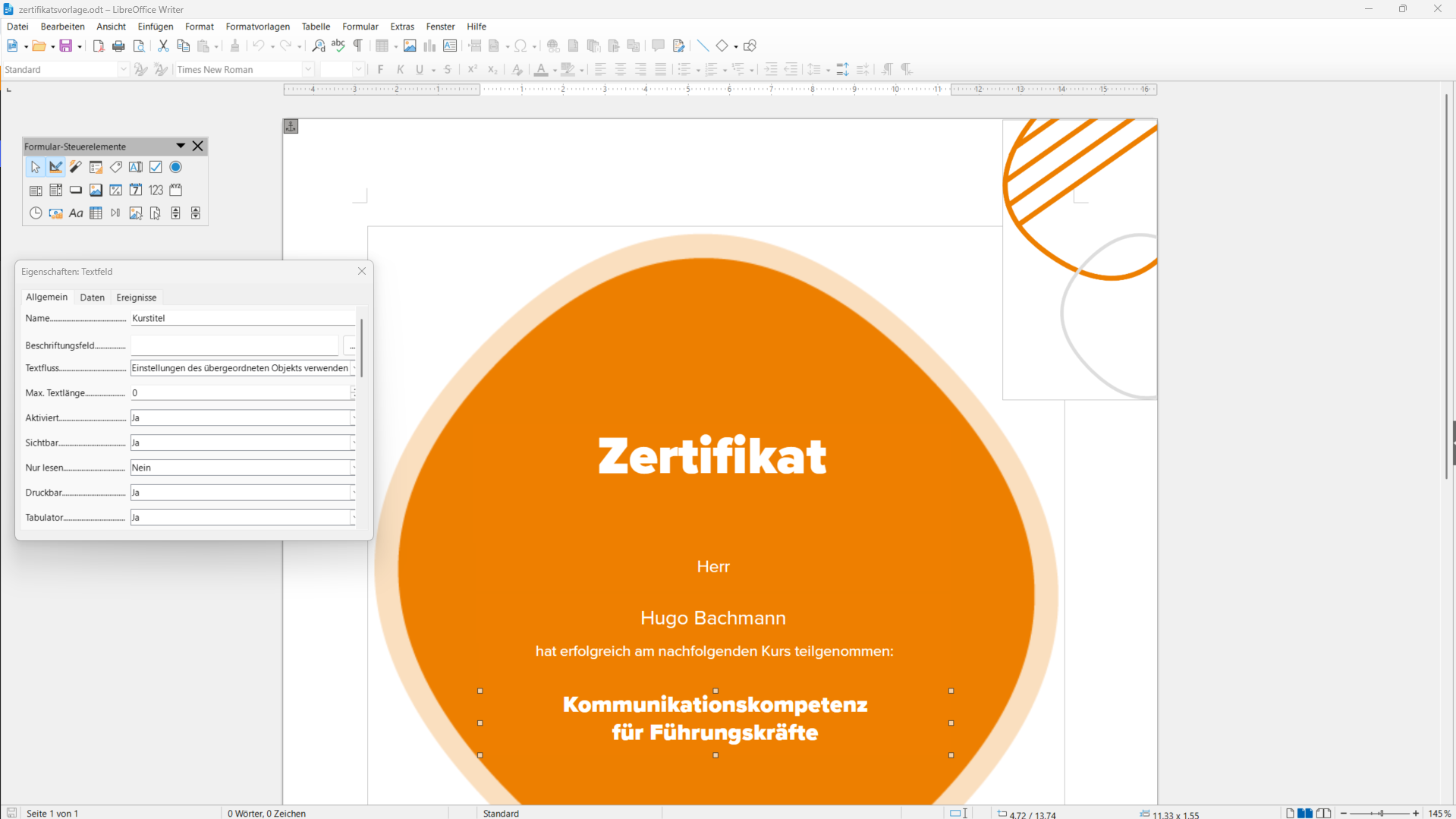
1
Start LibreOffice Writer and create a new document. Design the Certificate template according to your requirements, for example with your logo and the desired text and design elements.
Make sure to keep the template as general as possible. This allows it to be reused flexibly for different certificates in Avendoo.
2
Add form fields for the information that should be filled by Avendoo later.
Click on View → Toolbars → Form Controls in the menu bar to activate the toolbar for creating forms.
Activate Design Mode, select a Text field, and drag it to the desired position with the mouse.
3
Select the inserted Text field and right-click on Control Properties. A new window will open with the properties of the text field.
Under the General tab, you can enter a Name. You can also set formatting such as font, font size, or alignment here.
Additionally, make the following settings:
- For Anchor, select To Page.
- For Border, select No border so that the field has no visible border in the issued certificate. During editing, you can keep the Flat or 3D setting so that the field is easier to recognize.
- For Text type, select Multi-line.
4
Save the finished document as an .odt file first so that you can continue to edit it later.
5
Select File → Export and export the document as a PDF. Make sure that the option Create PDF form is activated.
Prereqisites
- LibreOffice Writer is installed
This guide was created using LibreOffice Writer version 26.2.6.3.