


Favoriting Reports in the Cockpit
In the Cockpit, team leaders can save frequently used reports as favorites to access them quickly and easily. You can find your favorited reports in the Favorites area. This guide explains how to add reports to your favorites and then open them in the Cockpit.
1
Navigate to Cockpit → Reports and click the title of the report you want to add to your favorites. The Report wizard opens.
2
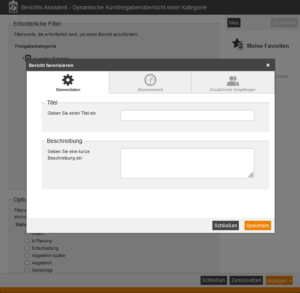
Click New. A dialog box opens, where you can assign a title for your favorite under Master data.
3
Save the favorite. It will then be displayed in the Report wizard and can also be found in the Cockpit under Favorites.
Voraussetzung:
Benutzer-Account mit dem Teamleiterrecht Favoriten Tab anzeigen
Was this article helpful?
Thank you for your feedback!