


Resend Last Message
In the Event Manager on the Overview tab, you have the option to resend the most recently sent notification to all. Find out how this works in this guide.
1
Go to Event management → Overview of event date or Overview by event date group and click the Event title to open the Event Manager for a date.
2
Go to the Overview tab. Here, click the Button Resend the last message to everyone.
3
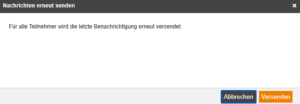
A dialog opens in which you confirm the dispatch by clicking.
4
On the E-mail history tab, you can see which messages were resent to whom.
Note: With this function, no individual customizations are taken into account.
Prerequisites
Author account with access to an activation client and the following author rights:
- Access to the event manager
- All or Own Event Dates: Show Event Dates
Was this article helpful?
Thank you for your feedback!