


Training Suggestions
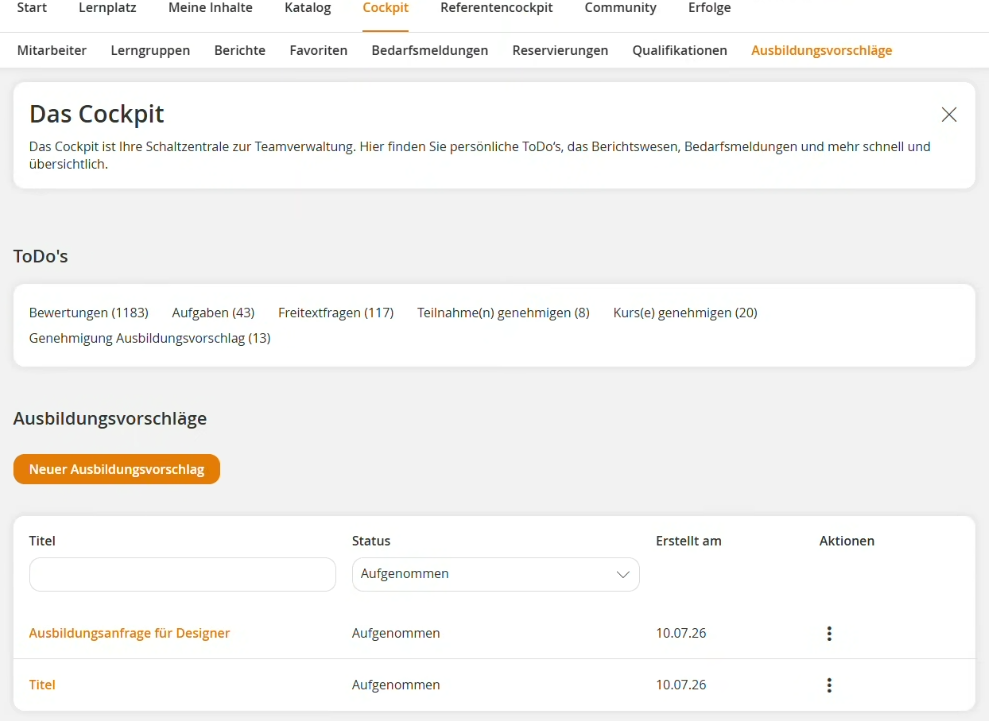
As a team leader, you can create new training suggestions for your team in your Cockpit via the Training Suggestions menu point. All training suggestions you have submitted are displayed in the overview. There, you can view the current editing status at any time. As long as a training suggestion has not yet been processed by the author and has the status Initialized, you can edit it again if needed.
You also have the option to submit a specific reported training need directly from a training suggestion. Use this function when there is a specific training requirement for employees. To do so, click the three dots next to the relevant training suggestion and select Report Training Need.
Prerequisites
- Team leader of an organizational unit with the permission: Training Suggestion and Reported Training Need
- The request tool has been integrated for you. If you do not want to use the standard request tool, you can use a custom request tool instead.
Was this article helpful?
Thank you for your feedback!