


Anonymize
If you want to anonymize users, you can permanently obscure their personal data. This guide explains how to anonymize users using the mass processing function.
1
Navigate to User management → User management.
2
In the list view, select all users you want to anonymize.
3
At the bottom of the list view, open the dropdown menu for Mass processing and select the Anonymize option.
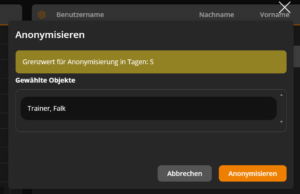
4
A dialog will open displaying the selected users again. Check your selection and confirm the anonymization using the Anonymize button.
The selected users are now anonymized.
You can configure which user data will be anonymized via the system setting user.security.config.
Prereqisites
- Author account with the permission User management: Anonymize users
- The users in question must be inactive in order to be anonymized.
Was this article helpful?
Thank you for your feedback!