


Record new rule regarding participants
If you want to record a new rule regarding participants, various selection criteria for users and registration options are available. Multiple participant rules can also be created for a course activation. The registration options in the participant rule always overwrite the settings made in the course activation wizard on the registration management tab. The procedure for creating a participant rule for course activations is described step-by-step below:
1
As an author, go to Course Management → Course Activations and click on the icon for Participant Management.
2
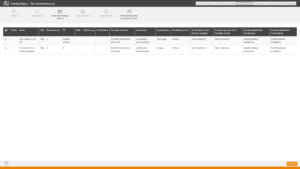
Switch to the Rules on participants tab and click on Record new rule regarding participants.
3
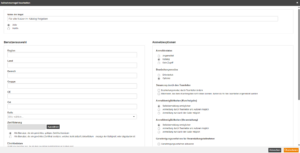
The dialog box for creating the rule opens. Enter a Rule name for the rule and set the status of the rule to Active or Inactivated.
4
Now fill in the desired fields for the User selection on the left side.
5
Configure the Registration option for your user selection on the right side.
6
Finally, click on Apply. The rule is now displayed in the list of participant rules and provides a preview of how many users are selected by the rule.
7
Clicking Save applies the rule.
Lorem ipsum dolor sit amet, consetetur sadipscing elitr, sed diam nonumy eirmod tempor invidunt ut labore et dolore magna aliquyam erat, sed diam voluptua. At vero eos et accusam et justo duo dolores et ea rebum. Stet clita kasd gubergren, no sea takimata sanctus est Lorem ipsum dolor sit amet. Lorem ipsum dolor sit amet, consetetur sadipscing elitr, sed diam nonumy eirmod tempor invidunt ut labore et dolore magna aliquyam erat, sed diam voluptua. At vero eos et accusam et justo duo dolores et ea rebum. Stet clita kasd gubergren, no sea takimata sanctus est Lorem ipsum dolor sit amet.