


Community
The Avendoo Community is a personalized news stream that keeps users (both learners and authors) informed about all important events related to their learning environment. It consolidates news from all groups, learning groups, and course communities of which a user is a member, as well as system messages such as registrations for learning units. Posts on personal pinboards of contacts are also displayed.
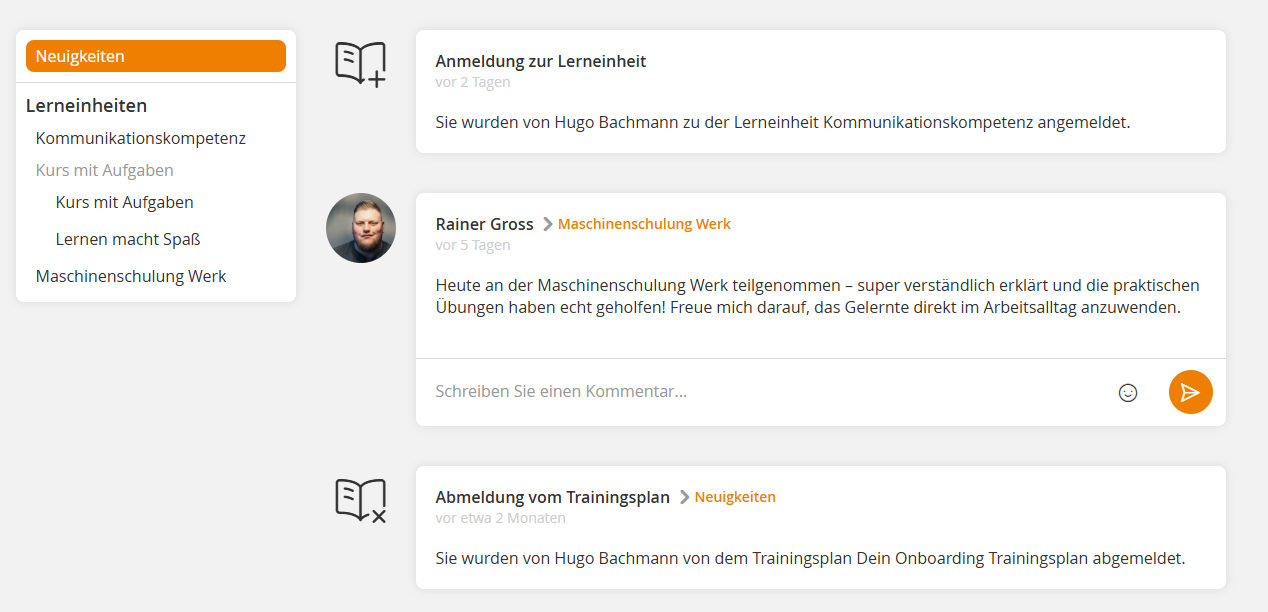
Important areas
News
In the News section, all system messages such as registration or registration cancellation for a learning unit are displayed in the news stream. In addition, all entries from groups, learning groups, or personal pin walls that you have subscribed to are shown here.
Personal pin wall
On your personal pin wall, you can see your profile picture, your name, and your personal description. You can also see the users who have subscribed to your pin wall and with whom you are friends.
You can subscribe to or unsubscribe from personal pin walls and write on existing personal pin walls.
The list on the left shows all personal pin walls of team leaders and users (learners) with whom you are friends.
Groups
Community groups are closed communication areas within Avendoo. They enable you to share information and messages specifically with defined user groups and promote exchange between learners.
Learners can create groups, manage them, and add or remove participants. The list on the left shows all groups you have already joined.
Community groups thus serve structured communication and collaboration within the platform
Learning units / Learning group
Under learning units, you will find all learning groups to which you are registered. These can be both course communities and separately created learning groups with learning assistants. Course communities bear the title of the course and there is only one course community per course activation. Learning groups can be named as desired, there can be multiple learning groups per course activation, and there are one or more learning assistants. You can also contact the learning assistants as well as individual learning group members via private message through the community.