


Reissue Certifications
With the bulk editing function Reissue in the Certifications area, authors can specifically reissue already issued certifications for one or more users. This is helpful, for example, when individual learners need to be provided with an updated certification. During reissuance, the course title, the title of the learning object, and the certificate title are also updated to the current status. The end date of the certificate, i.e. its validity, remains unchanged. The end date of the certificate, i.e. its duration of validity, remains unchanged.
If you want to reissue all certifications for a certificate, use the bulk editing function for Reissuing Certificates.
1
Go to Reports → Certifications.
2
If needed, filter by certificate title, user, or other criteria to quickly find the relevant certifications.
3
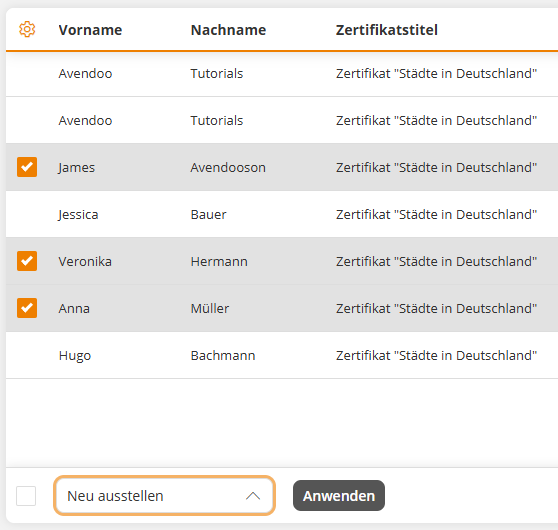
Select the certifications to be reissued, then choose the bulk editing function Reissue. Then click Apply.
4
Confirm the reissuance in the dialog by clicking Reissue.
The successful reissuance is then confirmed. The newly issued certification appears as a new entry in the list. The current date is entered as the Change date. The end date of the certification remains unchanged. The duration of validity of the certification is therefore not affected. You will be noted as the issuing person in the Issued by column.
Prereqisites
Author account with the following permissions:
- Resources: Reissue certifications
- Certifications: Read
Was this article helpful?
Thank you for your feedback!