


Ask Doori
The AI chatbot Doori is available to authors with the AI Package add-on directly in the Avendoo authoring interface. Authors can ask their questions about Avendoo immediately while working with Avendoo and receive quick support without having to leave their current work environment. In this guide, we explain how you can use Doori quickly and easily.
1
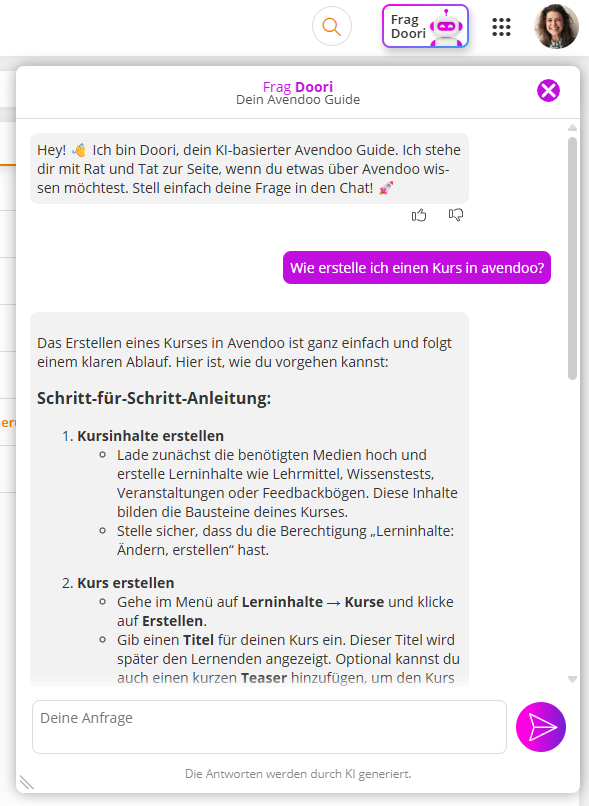
Log in with your Authors Account and select the Ask Doori button in the main menu.

2
In the dialog window, enter your request and send it by clicking on the Send symbol .
The more precisely you describe your concern, the more specifically Doori can respond.
3
If needed, ask a follow-up question to Doori’s answer or a completely new request on a different topic.
Assess Doori’s answers by clicking on one of the thumbs symbols. This helps us continuously improve Doori’s answer quality.
Thumbs up indicates a helpful answer.
Thumbs down indicates a less helpful answer.
Prerequisites
- You have installed and configured the AI Package
- Authors Account with the permission Doori Authors Area
Was this article helpful?
Thank you for your feedback!