


Selection of mandatory part for instructional material
If you want to mark one or more existing instructional material pages as a mandatory part, this guide will show you how to proceed.
1
Go to Learning content and then click on Instructional material.
2
Create new instructional material or edit an existing instructional material by clicking on the title.
3
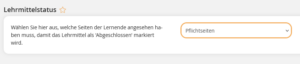
Switch to the Parameters tab and select under Status of instructional material that the instructional material is only marked as completed if the mandatory part has been looked at.
4
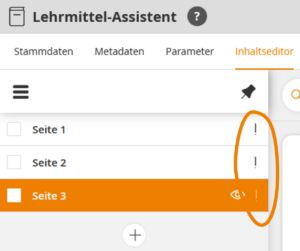
Switch to the Content editor. In the left navigation bar, click on the exclamation point symbol for the pages that should be marked as a mandatory part.
5
Save.
Prerequisites
Authors account with the Instructional material: Change, create permission
Was this article helpful?
Thank you for your feedback!