


Reports
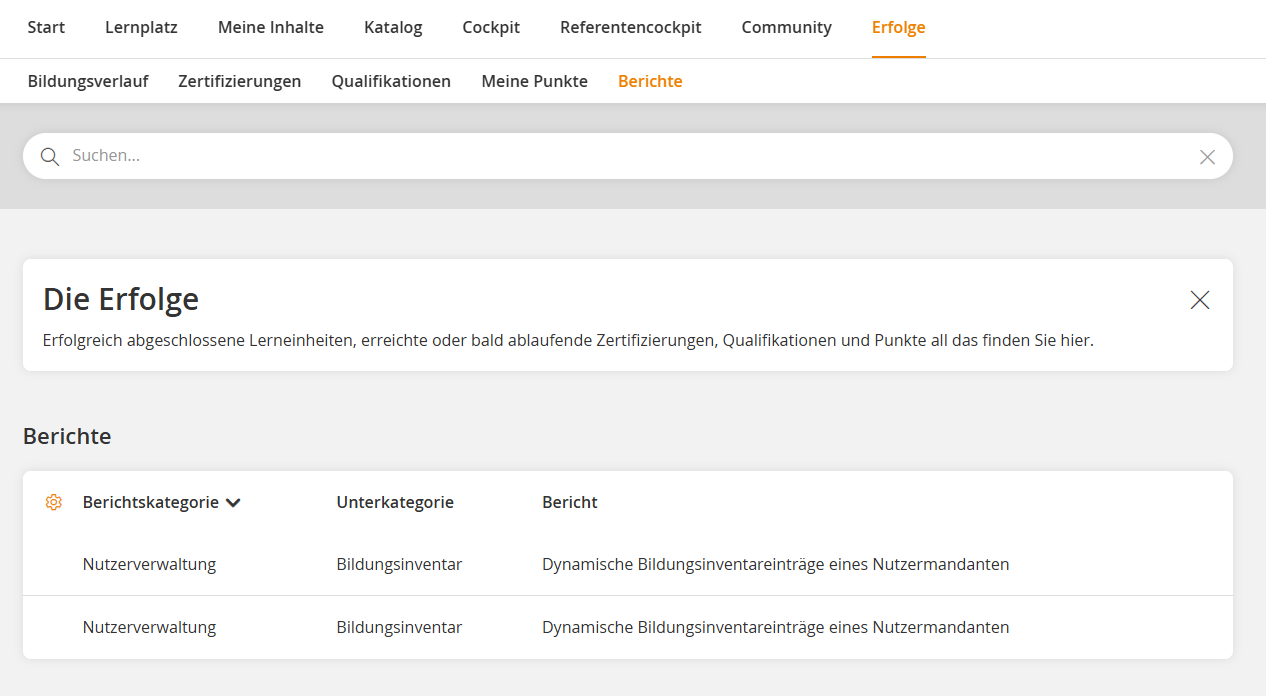
In the menu item Reports under Achievements, you will find all reports that have been provided to you.
The reports are sorted by topic. This allows you to quickly select the appropriate report. Using the gear icon, you can configure which information is displayed in the overview. When you open a report, you can customize it to your needs – for example, by filtering specific content or selecting what should be displayed.
Additionally, you can save reports as favorites or subscribe to them. This ensures you have important reports readily available at all times or receive them automatically at regular intervals.
Lorem ipsum dolor sit amet, consetetur sadipscing elitr, sed diam nonumy eirmod tempor invidunt ut labore et dolore magna aliquyam erat, sed diam voluptua. At vero eos et accusam et justo duo dolores et ea rebum. Stet clita kasd gubergren, no sea takimata sanctus est Lorem ipsum dolor sit amet. Lorem ipsum dolor sit amet, consetetur sadipscing elitr, sed diam nonumy eirmod tempor invidunt ut labore et dolore magna aliquyam erat, sed diam voluptua. At vero eos et accusam et justo duo dolores et ea rebum. Stet clita kasd gubergren, no sea takimata sanctus est Lorem ipsum dolor sit amet.
Lorem ipsum dolor sit amet, consetetur sadipscing elitr, sed diam nonumy eirmod tempor invidunt ut labore et dolore magna aliquyam erat, sed diam voluptua.
Was this article helpful?
Thank you for your feedback!