


My points
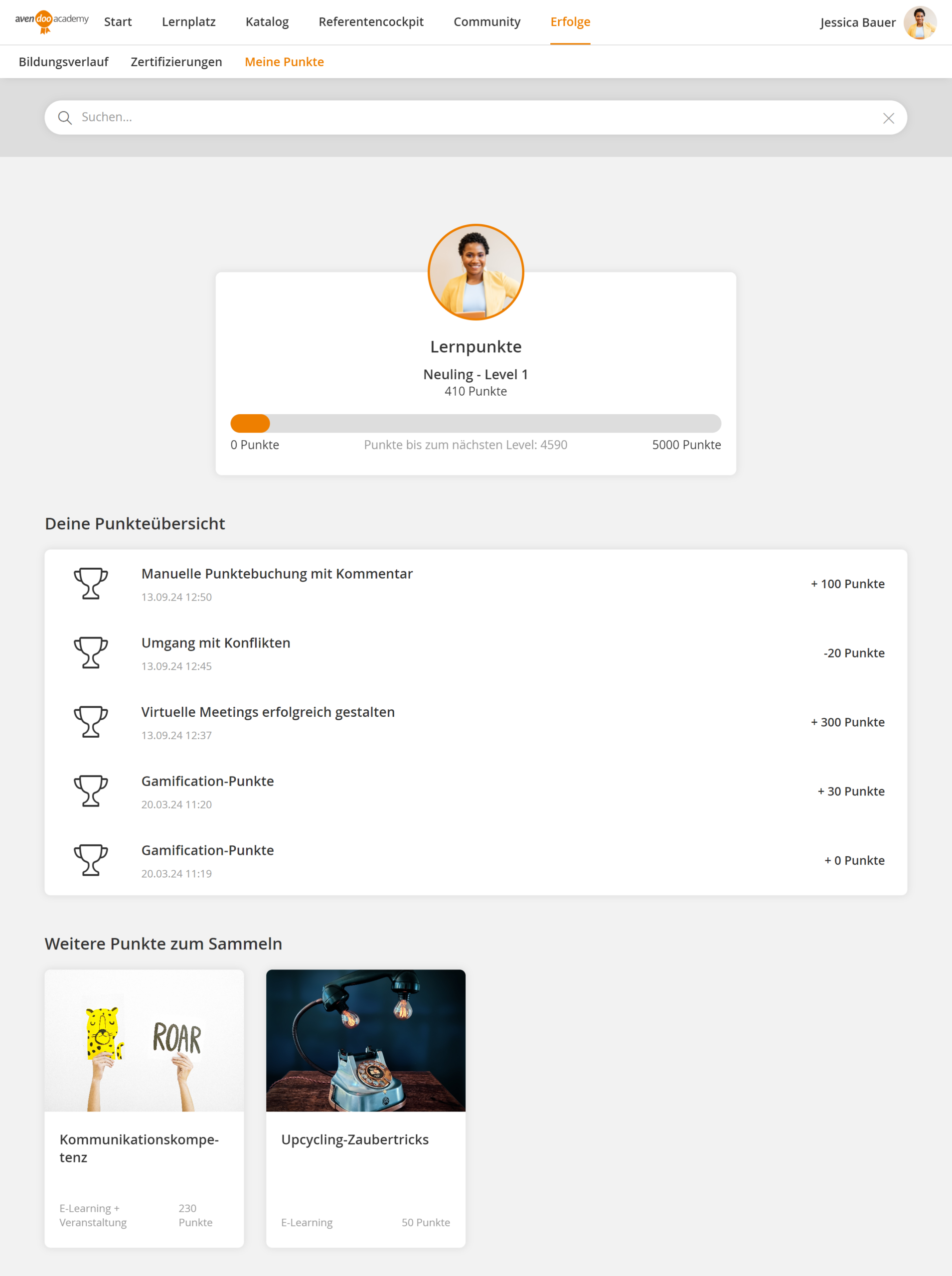
The My points section shows an overview of a user’s personal points account. Here, learners can view their current points balance.
The upper section displays the user’s name, the points balance and—if configured—the current level as well as a progress bar. The progress bar visualizes the current points balance and shows how many points are still needed to reach the next level.
Below this is a detailed overview of all points movements. Each entry is displayed with a date and information on whether points were credited or deducted. Points can be awarded automatically through defined actions, for example via a course activation, or manually by an author. For automatic awards, the title of the associated course activation is displayed; for manual awards, the corresponding comment from the author is shown.
Was this article helpful?
Thank you for your feedback!