


Prioritization feedback question
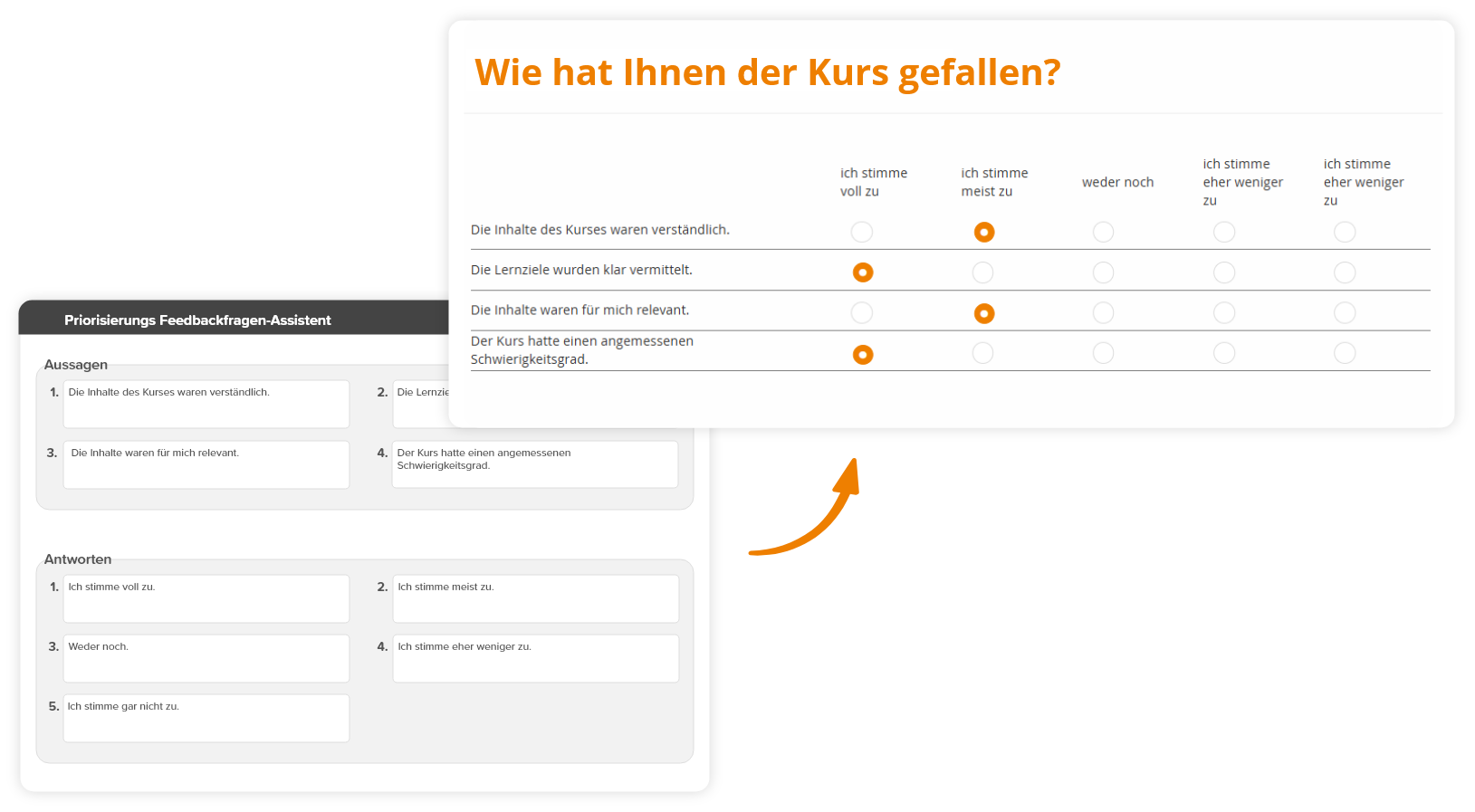
Prioritization feedback questions are used to rank multiple answer options. Learners express their preferences by ordering the answers according to their personal priority. This question type is suitable both for classic prioritizing of topics, statements, or options and for implementing a Likert scale, in which possible answers from agreement to rejection are put in an order. This guide shows you how to quickly and systematically create a prioritization feedback question.
1
Go to Learning content → Feedback questions and click Create.
2
In the feedback question wizard, select the Prioritization feedback question. Assign a Title.
3
Under the Question editor tab, you can select an empty page or a design template for your feedback question. Design your question here.
4
Under the Answers tab, you can specify whether it is allowed to select the No answer option or to allow a Comment on the Question. Under Answers, enter up to ten possible answers that should be available for selection.
5
Save the completed question.
Likert Scale
The Likert scale is a frequently used method for the assessment of statements. Typical possible answers range from “Strongly agree” to “Strongly disagree”. By arranging the answer options accordingly, a prioritization feedback question can be used as a Likert scale.
Prerequisites
Author account with the permission Learning content: Change, Create Feedback questions