


Create qualification
If you as an author would like to manually create a qualification for a user, this guide will show you how to proceed. As a rule, qualifications are issued automatically by linking a qualification with a course or individual course content.
1
Go to Reports → Qualifications and click on Create. The window for recording the qualification opens.
2
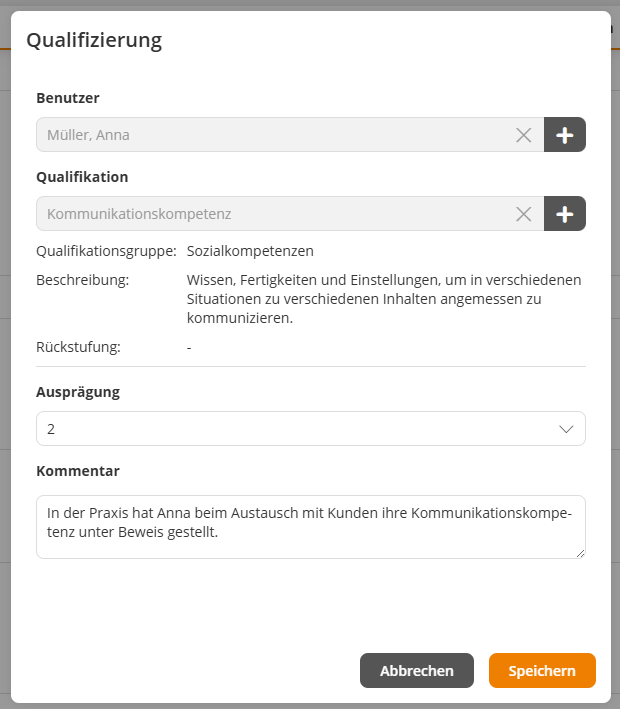
Select the desired User for whom the qualification is to be created.
3
Select the Qualification (e.g., communication skills) and specify the desired Level (e.g., 1). Optionally, a comment can be added.
4
Save the qualification.
Prerequisite
Author account with the permission Qualifications: Change, create
Was this article helpful?
Thank you for your feedback!