


Review
The review function in Avendoo allows you to provide feedback on course activations with the status Decision. This allows feedback from authors and users to be obtained before the course activation is published. In addition, the review mode offers a preview in various screen sizes (desktop, laptop, tablet, smartphone).
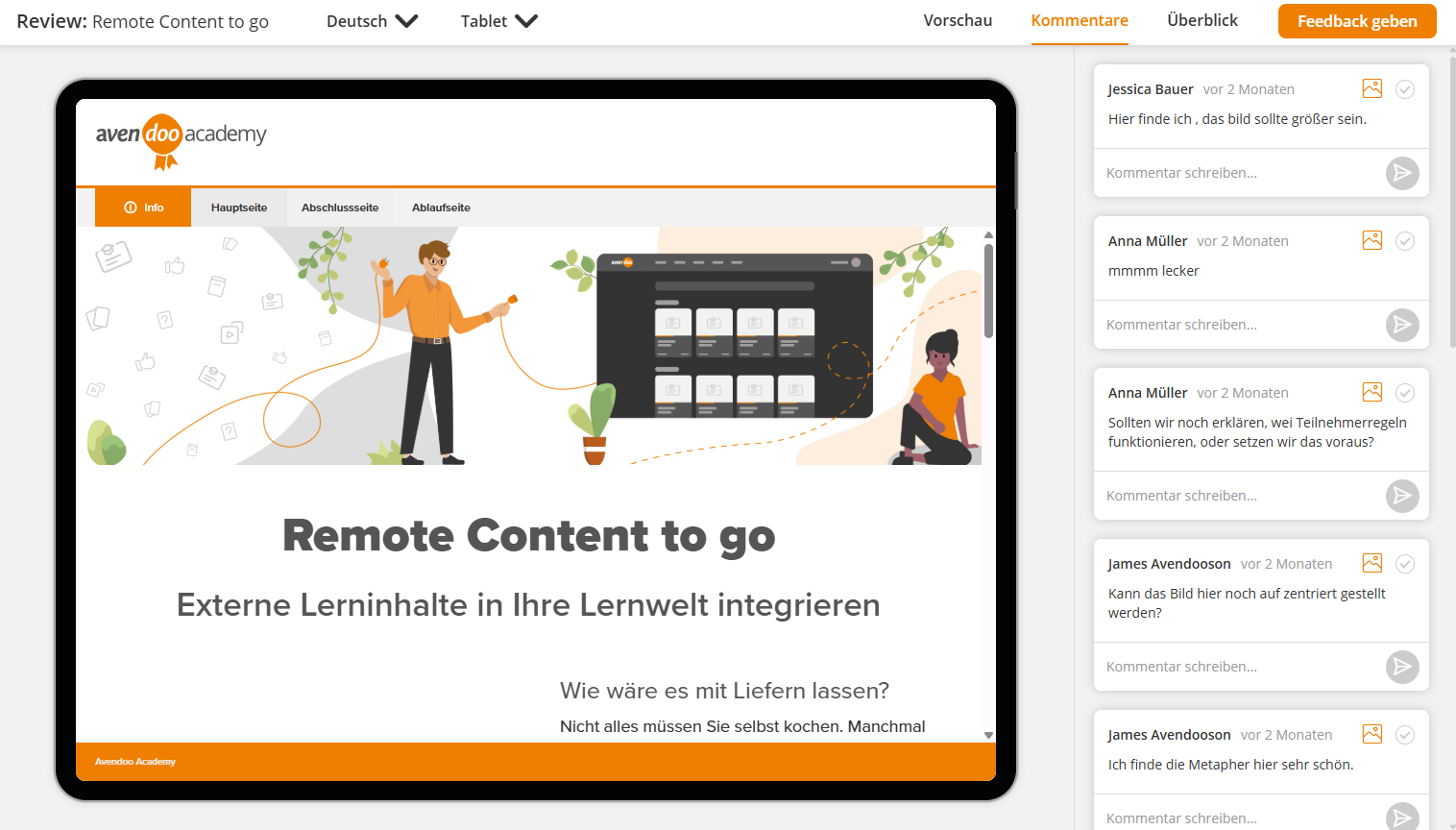
Areas
Preview
Under Preview in the review mode of a learning unit, you will see the preview of the learning unit in the selected language and display size.
Comments
Comment on the learning unit in review mode and view the comments of other users. Add a new comment by clicking on the
Overview
Get an overview of all comments in the review of the learning unit. The feedback is structured according to learning content. This allows comments to be viewed, edited and ticked off in a structured manner.
Language selection
Select the language in which you want to review the learning unit. All languages for which a translation of the learning content is available are available.
Display size
Check the learning unit in different view sizes to test the display for different devices.
The following options are available:
- Desktop
- Laptop
- Tablet
- Smartphone