


Set Queue Behavior During System Load (mbeans.configuration)
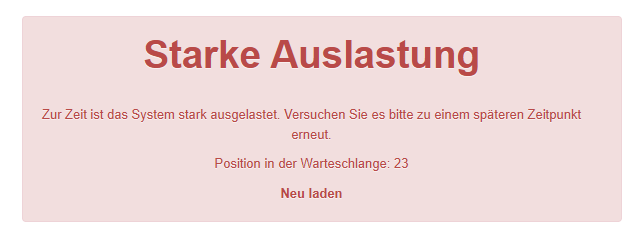
When the system is busy and a user attempts to log in, the “System Busy Page” appears, informing the user about the current load. A dynamic queue displays the waiting position before the user is automatically redirected to the target page. This guide explains how to configure the queue behavior via the system settings.
1
Navigate to Administration → System settings and enter mbeans.configuration in the filter.
2
Open the system setting by clicking on the title.
3
The following parameters are relevant for the behavior of the dynamic queue:
busyQueueTimer
Specifies the time in seconds after which the system load is re-checked. If capacities have become free, the next waiting users are granted access.
Example
busyQueueTimer=3
The load is checked every 3 seconds and waiting users are admitted to the system.
busyInaktiveKickCounter
Specifies how many calculations are awaited before a user who has left the page is removed from the queue. This prevents users from being placed at the very end of the queue again when reloading the page.
Example
busyInaktiveKickCounter=2
Two queue calculations are awaited until a user who has left the page is removed from the queue.
busyBufferCount
Determines how many threads the current load must be below the limit (threadPoolLimitMax) for users to be released from the queue.
Example
threadPoolLimitMax=95
busyBufferCount=10
If the maximum limit is 95, the current load must be below 85 for new users to be admitted from the queue into the system.
busyAcceptCount
Specifies the number of waiting individuals who are admitted to the system when the system is no longer considered busy.
Example
busyAcceptCount=2
Two waiting users are admitted to the system.
4
If you have made changes, save the setting.
The System Busy Page is an Individual Page that can be customized in the Administration area.
Prerequisites
Author account with the permission System settings: Change, create