


Learning path
The learning path in Avendoo acts as a learning guidance system and organizes the learning process. Authors arrange learning content in the course wizard on the Course content tab using drag-and-drop to create a recommended order for completion. This gives learners a clear overview of the course and the content required to successfully complete the course.
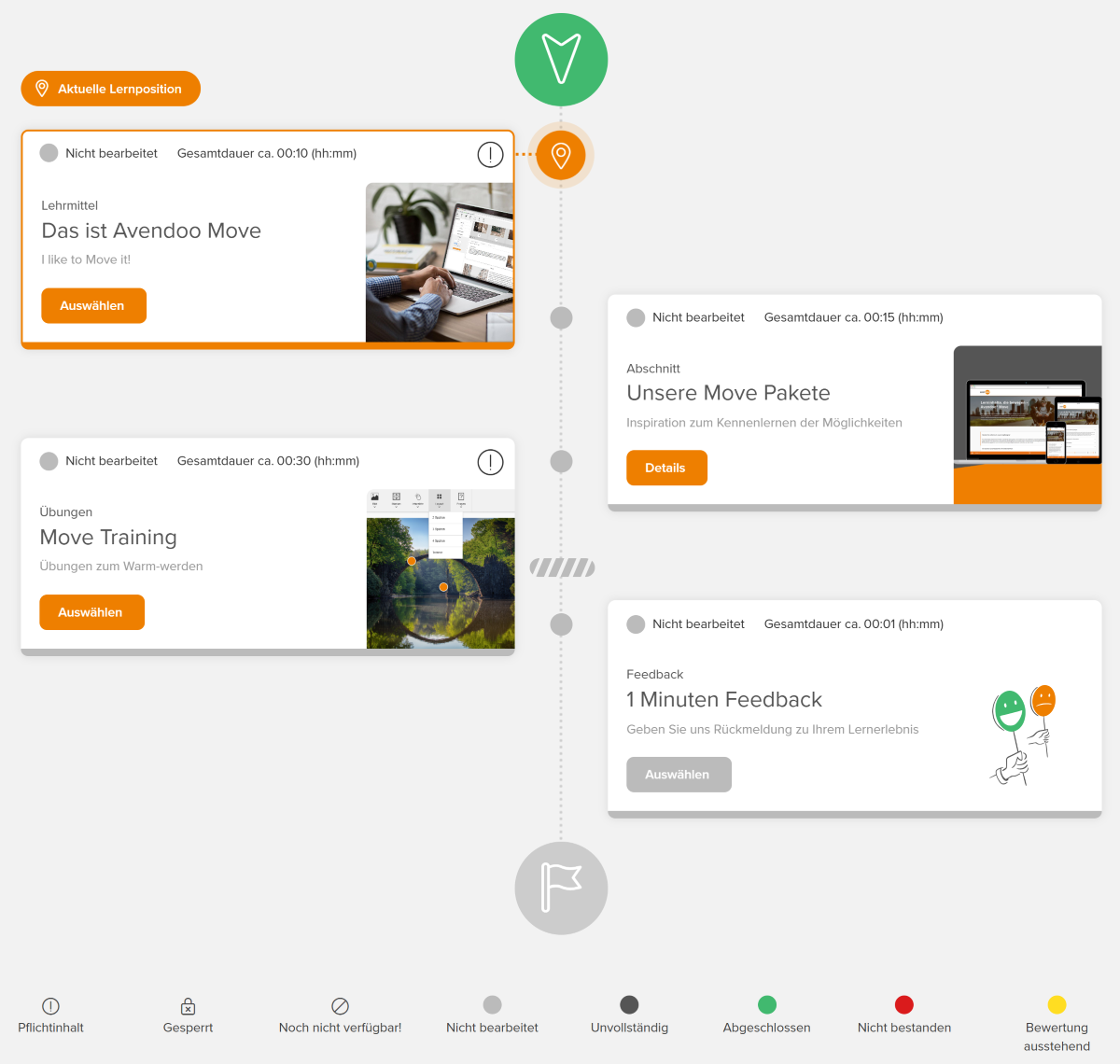
Display of the learning path
The display of the learning path can be set flexibly in the course wizard (Parameters tab → Structure) and can be changed with just one click. Below you find an overview of the possible display options.
Horizontal learning path
Vertical learning path
Learning path with line breaks
Learning path as table

Select the learning path or learning path with status text if you want to tell a story using the learning path images. For example, an avatar can be displayed here that moves from left to right depending on the progress on the learning path.
Due to the coherent images, this learning path is not responsive to mobile devices, but a scrollbar will appear. If you want to frequently use mobile devices, we recommend the learning path with line breaks.
The vertical learning path is characterized by a continuous path from top to bottom with start and finish. The course content is automatically placed alternately to the left and right of the path. On smaller mobile devices the content is arranged on the left-hand side of the line.
You can insert images in this type of learning path. If the focus is to be on a graphical representation, we recommend the learning path with line breaks or the horizontal learning path.

With the learning path with line breaks, the learning objects are displayed as adjacent tiles. Depending on the screen size, the tiles automatically break into the next row so that the optimum number of learning objects per row is always displayed. This learning path is therefore particularly suitable for display on mobile devices.
The learning path can be displayed with photos, graphics or icons.

Section
Sections can be used to structure learning paths.
Section
A section in Avendoo represents a summary of learning content within a learning path. This allows authors to provide greater clarity for long learning paths. A separate title and teaser can be specified for each section, allowing the learning path to be divided into thematic areas. Sections that have already been created can be transferred to other learning paths.
Control elements
In principle, the learning objects on the learning path can be completed in any order, but there are control elements that can define a completion sequence.
Hurdle
A hurdle controls the order of the learning path in Avendoo. It ensures that learning objects after the hurdle can only be selected when the required content in front of the hurdle has been processed. All objects in a learning path that must be edited or passed are considered required.
Further control elements
In addition to the classic hurdles, there are also hurdles with extended options.
Checkpoint
The learning content after the checkpoint can only be accessed once the user has achieved a certain certification. The user may have obtained the certification as part of another course.
Task hurdle
The task hurdle allows tasks to be integrated into the learning path that a user must complete outside of Avendoo. Depending on the configuration, the task can be marked as completed by authors, team leaders, or the user themselves.
Until all mandatory tasks have been completed, the course content behind the task hurdle remains locked.
Time obstacle
The time obstacle works like a normal hurdle. However, the learning objects behind the temporal obstacle only become available when a certain point in time occurs.
Prerequisites
E-Learning Edition, Blended-Learning Edition or Blended-Learning Black Edition