


Integrate wizard configuration in the client
Would you like to integrate a previously compiled wizard configuration in the client? This guide shows you step by step how to do this.
1
Go to the menu item User management → Clients.
2
Select the client in which the new configuration is to be applied and switch to the Backend configuration tab.
3
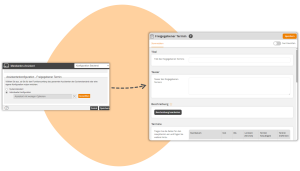
Adjust the wizard configuration for the desired wizard (e.g. Wizard configuration – Activated Event date).
4
Save your settings. In this client, only the defined options are now visible in the configured wizard.
Prerequisite
Author account with the permission Administration (Objects): Change, create wizard configurations
Was this article helpful?
Thank you for your feedback!