


Assign wizard configuration
Would you like to assign a previously compiled wizard configuration using a permission group? This guide shows you step by step how to do this.
1
Go to User management → Permission groups and select a permission group.
2
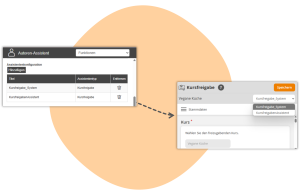
Navigate to the Wizard Configuration tab and add one or more previously created wizard configurations.
3
Save your settings.
Now, users in the permission group can access the customized wizard. If multiple wizard configurations are stored, users can choose which configuration they want to use the wizard with.
Alternatively, you can also assign the wizard configuration to individual users in the User or Author wizard.
Prerequisite
Author account with the permission Administration (Objects): Change, create wizard configurations
Was this article helpful?
Thank you for your feedback!