


Create author
If you want to create authors in Avendoo, you will learn the necessary steps in this guide. In contrast to the user, the author takes on the role of content creator or administrator in the learning world. Depending on their permissions, they can also take on administrative or support tasks.
1
Navigate to User management → User management and then click on the Drop Down Menu (Triangle) next to the Create Button.
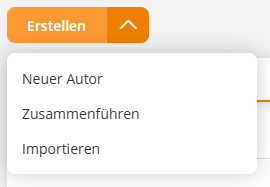
Select New author. The Author assistant will open for entering the user data.
2
Under the Master data, first select the client in which you want to create the author, and then fill in the required fields: User name, first name, last name, and email address. Finally, generate a secure password for the author.
3
Assign the required Permissions for the author:
- Under Permission group, you can add the rights of a user group with the help of a Permission group (recommended).
- Under Access rights, you can assign individual Permissions only for this author.
4
Save.
Prerequisite
Author account with the permission Author: Change, create
Was this article helpful?
Thank you for your feedback!